7 Easy Steps to Operate Your Battery Charger Like a Pro
Are you tired of guessing how to properly operate your battery charger? Many people struggle with getting the best results and ensuring safety. Don’t worry—you’re not alone, and mastering your charger is easier than you think.
To operate your battery charger like a pro, start by knowing your battery type and choosing the right charger. Use essential safety gear, like gloves and goggles, and connect the charger properly to avoid damage.
Select the appropriate charging mode for efficiency, and monitor progress during charging.
After use, disconnect safely and maintain your charger by keeping it clean and stored properly.
There’s more to learn about enhancing charger effectiveness and ensuring longevity.
Key Takeaways
- Identify the right charger type for your battery to make sure they’re compatible. This helps prevent any damage during charging.
- Always wear protective gear, like eyewear and insulated gloves, to stay safe while you’re charging.
- Connect the charger cables in the correct order—positive first, then negative—to avoid short circuits.
- Regularly check and maintain your charger and cables for the best performance and safety.
- Store your charger in a cool, dry place to prevent overheating and help it last longer.
Know Your Battery Charger Types

In relation to charging your devices, knowing the different battery charger types can make all the difference. You’ll encounter various battery types, including lithium-ion, NiMH, and lead-acid, each requiring specific chargers.
For example, lithium-ion batteries often use smart chargers that automatically adjust the voltage, ensuring safety and efficiency. When you examine charger features, pay attention to the output current and voltage, as these affect charging speed and compatibility.
Fast chargers can save you time, but make sure they suit your battery type. Solar chargers are handy for outdoor adventures and offer a sustainable option. Multi-port chargers are great for powering multiple devices at once.
Understanding these differences helps you pick the right charger, which can maximize your devices’ lifespan and performance. So, take the time to familiarize yourself with these battery charger types for more effective charging.
Essential Safety Gear for Battery Charging
When you’re charging batteries, it’s really important to have the right safety gear. Think of protective eyewear as your main shield — it keeps your eyes safe from any sparks or splashes.
And don’t forget about insulated gloves. Your hands need that extra layer of protection to prevent any accidental shocks or burns. Oh, and having a fire extinguisher nearby is always a good idea, just in case something unexpected happens.
Let’s take a closer look at these essentials so you can be fully prepared and stay safe during the process.
Protective Eyewear Necessity
Protective eyewear is essential for anyone charging batteries because it shields your eyes from potential hazards like acid spills or explosive gases. When you’re working with batteries, you can’t overlook eye safety.
There are different options, from safety glasses to full-face shields, so you can find something that fits your needs. These choices not only prevent injuries but also help you focus better, so you can work confidently.
Always pick eyewear that meets safety standards and fits comfortably. Remember, taking this small step can make a big difference in protecting your vision.
Insulated Gloves Importance
While charging batteries, wearing insulated gloves is essential for your safety. These gloves protect your hands from electrical shocks and chemical exposure.
Look for glove materials specifically designed for electrical work, like rubber or neoprene, as they provide excellent insulation. This insulation reduces the risk of accidental contact with live wires or terminals.
When choosing gloves, make sure they fit well so you can maintain dexterity while working. Always inspect your gloves for any signs of wear or damage before use; even small defects can compromise safety.
Fire Extinguisher Readiness
Ensuring your fire extinguisher is ready can make all the difference during battery charging. Fire risks can happen unexpectedly, so knowing which extinguisher to use is key. Here’s a quick guide to help you out:
| Fire Extinguisher Type | Best For | Fire Safety Tips |
|---|---|---|
| Class A | Ordinary combustibles | Keep away from flammable materials |
| Class B | Flammable liquids | Don’t use water on grease fires |
| Class C | Electrical fires | Disconnect power before using |
| Class D | Metal fires | Always follow manufacturer guidelines |
Be sure to check the expiration date and inspect your extinguisher regularly. With these fire safety tips, you’ll be better prepared to handle emergencies while charging your battery.
Connect Your Battery Charger to Your Battery
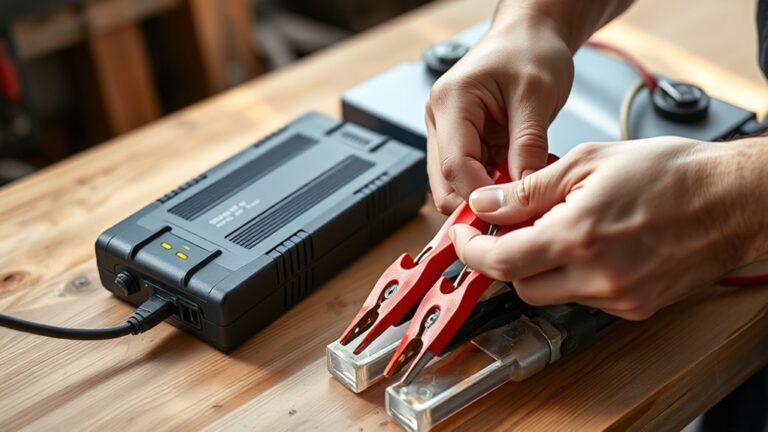
Connecting your battery charger to your battery is simple and only takes a few easy steps. First, make sure your charger matches your battery type by checking the specifications. This helps avoid any damage from mismatched parts.
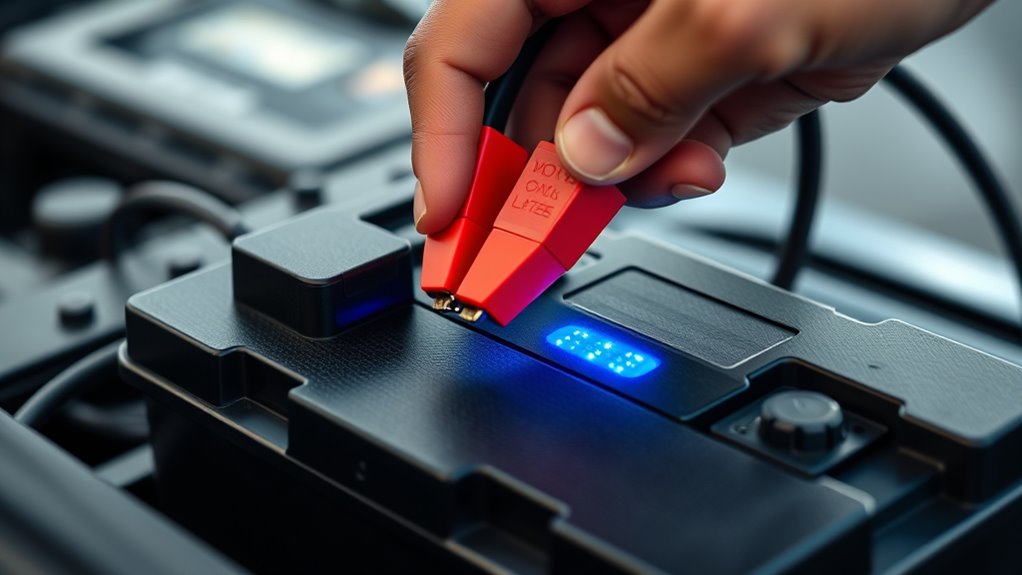
Next, find the battery terminals. Usually, the positive terminal has a plus (+), and the negative has a minus (-). Connect the red cable from the charger to the positive terminal first. Then, attach the black cable to the negative terminal. Doing it this way helps prevent sparks and keeps things safe.
Once everything’s hooked up, plug in your charger and turn it on. Keep an eye on the indicator lights to see how the charging is going. Following these steps makes charging your battery quick and safe.
Choose the Right Charging Mode for Your Battery
Choosing the right charging mode for your battery can really impact its lifespan and performance. Different batteries have their own specific needs, so understanding what your battery requires is super important.
Choosing the right charging mode is crucial for maximizing your battery’s lifespan and performance.
For example, a lead-acid battery usually does better with a slower charge, while a lithium-ion battery prefers a quick top-up. Picking the right mode helps you charge efficiently and keeps your battery healthy.
Using the correct charging setting not only boosts efficiency but also reduces overcharging risks and helps extend your battery’s life.
Before you start charging, check your battery’s specs and pick the mode that suits it best. Some chargers have multiple settings, so don’t be afraid to switch modes based on your battery type.
How to Ensure Efficient Charging?
Want to ensure your battery charges efficiently? The key is to keep it at the right temperature. Avoid charging in places that are too hot or too cold because extreme temperatures can really affect how well your battery performs.
Also, don’t forget about regular maintenance. Checking your battery and keeping up with maintenance tasks can help make sure it lasts longer and stays efficient over time. Just a little attention here and there can make a big difference!
Optimal Charging Temperature
While charging your battery, it’s important to keep it within an ideal temperature range to ensure good performance and a longer lifespan. Charging works best when your battery is between 20°C and 25°C (68°F to 77°F).
High temperatures can shorten your battery’s life, while very cold conditions can slow down performance. Keep an eye on environmental factors like humidity and direct sunlight, as these can impact heat dissipation.
Using cooling methods, such as placing the charger in a well-ventilated spot, can help manage heat. You can also use thermal monitoring to track your battery’s temperature during charging.
Regular Maintenance Practices
Start by setting up a maintenance schedule that includes regular voltage checks and monitoring electrolyte levels. Keep an eye on connectors to prevent corrosion, which can impact battery health.
Periodically clean the terminals to maintain a solid connection and ensure optimal charging cycles. Also, follow usage guidelines for both your battery and charger to get the best results.
Proper storage of your charger is crucial—avoid extreme temperatures and humidity. By following these simple steps, you’ll extend your battery’s life and enjoy dependable performance whenever you need it.
Safe Disconnection of the Charger
Before disconnecting the battery charger, make sure the charging process is complete to avoid any damage. It’s important to follow proper disconnection steps for safety.
Check the indicator light for a green signal or any sign that the battery is fully charged. This helps you know when it’s safe to unplug.
Check the indicator light for a green signal to confirm the battery is fully charged and safe to unplug.
Next, turn off the charger before unplugging it. This reduces electrical risks and keeps everything safe.
Unplug the charger from the outlet to ensure no power is still running through it. This is a crucial step for safety.
Finally, disconnect the battery cables. Remove the negative cable first, then the positive cable. This order helps prevent short circuits.
Maintain Your Charger for Longevity and Efficiency
To guarantee your battery charger lasts longer and operates efficiently, it’s essential to adopt a few simple maintenance practices. First, always store your charger in a cool, dry place to prevent overheating and moisture damage. Proper storage helps keep its components in good shape.
Next, regularly check the charger for any wear or frayed cables. If you see any damage, replace it right away to avoid safety risks. Also, keep the charging ports clean and free from dust or debris, as this can affect how well it charges.
Lastly, remember that a well-maintained charger can significantly extend your battery’s lifespan. By following these easy steps, you’ll keep your charger in great condition and boost its efficiency. Taking a little time to care for it really pays off in the long run.
Frequently Asked Questions
How Do I Know if My Battery Needs Charging?
You know your battery needs charging when the charging indicators show low levels or when your device starts performing poorly.
Keep an eye on the battery health; if it drops significantly, it’s probably time to recharge.
Many devices will alert you when the battery’s low, but checking the percentage regularly helps too.
If you notice any unusual behavior, like unexpected shutdowns, it’s a clear sign that your battery’s running low and needs attention.
Can I Charge Multiple Batteries at Once?
Absolutely, you can charge multiple batteries at once, but it’s like juggling—each battery type has its own quirks. If you’re using different battery types, make sure they’re compatible, as mixing can be risky.
Charging safety’s essential; monitor the process to avoid overheating. Keep an eye on the charger’s indicators, ensuring everything flows smoothly.
What Happens if I Overcharge My Battery?
If you overcharge your battery, you risk serious damage. This can cause overheating, a shorter lifespan, or even leaks.
Many think modern chargers prevent overcharging, but it’s still a chance, especially with older batteries. Charging myths say keeping your device plugged in isn’t harmful, but it can actually harm the battery.
To keep your battery healthy, watch your charging times and unplug when it’s fully charged.
How Long Should I Charge a New Battery?
You should charge a new battery for about 6 to 8 hours, but have you thought about how this affects its lifespan? Proper charging is key because it sets the stage for the battery’s best performance.
Follow these tips: avoid letting it fully discharge too often and don’t leave it plugged in after it’s fully charged. Doing this can help extend your battery’s life and keep it working smoothly for longer.
Can I Use a Car Charger for Other Batteries?
You can use a car charger for other batteries, but it really depends on the battery type. Car chargers usually give a high voltage meant for car batteries, which can damage smaller batteries like those in electronics.
Always check the specs of both the charger and the battery before trying to connect them. If they aren’t compatible, you might need a different charger to do the job safely and properly.
Conclusion
So, you thought charging a battery was a piece of cake? Well, you’ve just learned it’s more like baking a soufflé—one wrong move, and it’s a flop!
By knowing your charger, wearing safety gear, and connecting properly, you’re not just a charger user; you’re a battery-charging maestro.
Remember, efficient charging isn’t just about plugging it in; it’s about finesse.
With a little care, your charger will last longer than your last New Year’s resolution!
And that’s the secret to mastering your battery charger like a pro.