
How to Read a Battery Charger Quickly
Many people find themselves frustrated when trying to quickly understand how their battery charger is working. You’re not alone—reading a charger efficiently can be confusing, especially with so many symbols and lights. Luckily, mastering a few simple tips can make the process much easier.
To read a battery charger quickly, start by checking the symbols on it. The lightning bolt indicates fast charging, while a circle with a line signals incompatibility.
Pay attention to light colors: green means fully charged, red shows charging or an issue, and orange indicates ongoing charging.
Confirm positive and negative terminals are connected correctly.
Watch for signs of overheating, like strange smells or discoloration, to prevent problems. You’ll uncover more tips to improve your charging efficiency.
Key Takeaways
- Look for charger symbols, like a lightning bolt for fast charging or a circle with a line that shows it’s not compatible with your battery type.
- Keep an eye on the light indicators: green means it’s fully charged, red shows charging or issues, and orange or yellow indicates charging is ongoing.
- Connect the terminals correctly—positive to positive first, then negative to negative. Always disconnect in the reverse order.
- Regularly check for signs of overheating, like excessive heat or strange smells, to avoid damage or hazards.
- Refer to your user manual for specific instructions and troubleshooting tips that match your charger and battery.
What You Need to Know About Battery Chargers
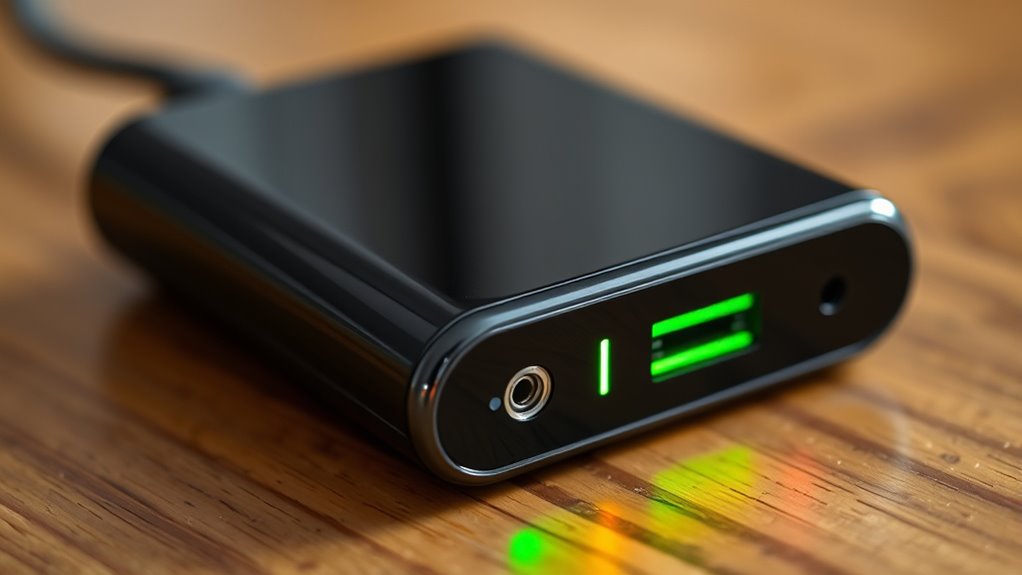
In relation to battery chargers, understanding their key features can make all the difference. You’ll want to evaluate various battery types your charger supports, as compatibility is essential. Look for charger features like fast charging and smart technology, which improve energy efficiency.
Always prioritize safety precautions, ensuring your charger has built-in protections against overcharging and short-circuiting. As you investigate your options, check user manuals for detailed specifications and installation tips.
Brand comparisons can help you identify the most reliable products, while also factoring in cost considerations to find a balance between quality and budget. Finally, think about the environmental impact of your charger choices; opting for energy-efficient models can reduce waste and lower your carbon footprint.
Essential Charger Symbols: What They Mean
Understanding essential charger symbols is key to using your device safely and effectively. These symbols help you identify charger types and ensure battery compatibility.
For example, the lightning bolt symbol shows fast charging capability. A circle with a line through it means that charger isn’t compatible with your battery type.
You’ll also see symbols like “+” and “-”, which indicate the positive and negative terminals. Connecting them correctly is important to avoid damaging your device.
A battery icon with an arrow might show that a charger can recharge different battery sizes. Paying attention to these symbols helps prevent mishaps and keeps your device running smoothly.
The Meaning Behind Charger Light Colors
While you’re charging your device, paying attention to the colors of the charger lights can give you helpful insights about the charging process. Different colors tell you specific things about your device’s status.
For example, a green light usually means your device is fully charged, while red often indicates it’s charging or there’s a problem. If you see an orange or yellow light, it generally means your device is still charging but not quite done yet.
Understanding what these colors mean can help you troubleshoot issues early on. Flashing lights might mean there’s a connection problem or a malfunction. Recognizing these signals helps you know what’s happening and whether you need to take action.
Being aware of these color cues can save you time and ensure your device stays powered up efficiently.
Understanding Charging Speeds
Charging speeds can vary a lot depending on factors like the charger type, cable quality, and your device. Thanks to recent tech advancements, many chargers now support fast charging, which cuts down the time to power up.
But it’s important to match your charger with your device’s capabilities. Even if you have a fast charger, your device might not be able to take full advantage of it.
Battery chemistry also affects charging speed. Lithium-ion batteries, for example, tend to charge faster than older nickel-based ones. So, using a high-speed charger on an older device might not give you the quick charge you expect.
To get the best experience, always use good-quality cables and compatible chargers. Knowing these details helps you pick the right gear and keeps your battery healthier longer.
Keep these points in mind to ensure you’re getting the most efficient and safe charge every time!
Identifying Overheating Signs in Battery Chargers
When you’re using a battery charger, it’s really important to watch out for signs that it might be overheating. You might notice it getting unusually hot to the touch, or maybe you smell something strange—like a burning or chemical odor. Sometimes, you’ll see discoloration or spots forming on the charger’s surface, which isn’t a good sign either.
Paying attention to these symptoms is key because they can tell you that something’s not right. Overheating can happen for a bunch of reasons, like a faulty charger or using the wrong type of battery. If you catch these signs early, you can prevent any potential hazards and keep your devices and yourself safe.
Common Overheating Indicators
If you notice your battery charger feeling unusually hot to the touch, it could be a sign of overheating. Recognizing common overheating indicators is essential for your safety. Look for unusual smells like burning or melting plastic, and check for any discoloration on the charger casing.
Furthermore, if the charger’s light indicators flicker or behave erratically, it might indicate overheating issues.
| Indicator | Possible Overheating Causes | Recommended Safety Precautions |
|---|---|---|
| Excessive heat | Poor ventilation | Maintain airflow around the charger |
| Strange smells | Internal component failure | Disconnect immediately |
| Discoloration | Overcurrent conditions | Inspect regularly |
| Flickering lights | Voltage fluctuations | Use a surge protector |
Stay alert to these signs to prevent damage or hazards.
Causes of Overheating Issues
Overheating issues in battery chargers often come from a few main factors that can affect how well they work and their safety. One big cause is poor ventilation; if the charger doesn’t get enough airflow, heat can build up quickly.
The quality of the materials used in the charger also matters. Cheaper components might not handle high temperatures well, which can lead to overheating. Overcharging is another factor—leaving your device plugged in too long can put extra strain on the charger.
Environmental conditions like high temperatures in the room can make overheating worse. By understanding these causes, you can take simple steps to prevent your charger from overheating and keep it running safely and smoothly.
Ensure Your Charger Is Compatible
Before you start charging your battery, it’s important to make sure your charger is compatible with your device. There are different types of chargers, and using the wrong one can cause damage.
First, check the voltage compatibility. Your charger should match your device’s requirements. If your device needs 5V, don’t use a charger that outputs 12V.
Next, look at the amperage ratings. A charger with too high or too low amperage can affect how fast your device charges and might be unsafe. Always check your device’s specs to find the right amperage.
Also, make sure your charger meets safety standards. This is crucial for protecting both your device and yourself. Finally, be aware of any charging technologies like Quick Charge or USB Power Delivery. Compatibility with these can make your charging faster and more efficient.
Tips for Optimizing Charging Efficiency
To get the most out of your battery charger, the first thing you want to do is pick the right charger for your specific battery type. Using the correct charger makes a big difference in how efficiently your battery charges.
Then, make sure you’re connecting everything properly. A secure and correct connection helps ensure the charging process goes smoothly and safely.
Following these simple steps can really boost your charging efficiency and keep your batteries in good shape.
Optimal Charger Selection
Choosing the right battery charger can really boost your charging efficiency, especially when you think about compatibility and how fast it charges. Here’s what to look out for:
| Charger Type | Key Features | User Reviews |
|---|---|---|
| Fast Charger | High power ratings, safety features | Highly rated for speed |
| Smart Charger | Voltage compatibility | Praised for efficiency |
| Solar Charger | Eco-friendly, versatile | Loved for portability |
| Standard Charger | Reliable brand, low cost | Great for basic needs |
| Multi-Port Charger | Convenient, versatile | Popular with families |
Proper Connection Techniques
Connecting your battery charger properly is key to getting the most out of it. Always start by connecting the positive terminal of the battery to the positive lead of the charger first.
Next, attach the negative terminal to the negative lead. Doing it in this order helps prevent sparks and short circuits, making the process safer and smoother.
Once everything’s connected, double-check that the charger settings match your battery type. Keep an eye on the charging time to avoid overcharging.
When you’re done, disconnect the charger in the reverse order—negative first, then positive. This helps protect your battery’s health and keeps things safe.
Following these simple steps will not only improve charging efficiency but also extend your battery’s lifespan. It’s worth the extra care!
Avoid These Common Charging Mistakes
While charging your devices might seem simple, many people make mistakes without realizing it. These can hurt your battery or make it less efficient over time.
By changing your habits, you can actually extend your battery’s lifespan. Here are three common mistakes to watch out for:
Leaving your device plugged in overnight can lead to overcharging, which damages the battery over time.
Using the wrong charger is another mistake. Always stick with the charger recommended by the manufacturer to ensure the right voltage and current.
Ignoring temperature extremes during charging can hurt your battery too. Charging in very hot or cold environments isn’t good for its health.
Being aware of these pitfalls can help keep your device running smoothly and extend its battery life. Take a moment to review your charging habits and make any needed adjustments. Your devices will thank you!
Troubleshooting Charging Issues
Even with good charging habits, issues can still pop up. You might have faulty connections, bad batteries, or voltage problems. Start by checking your connections—make sure they’re clean and snug.
If the problem keeps happening, look at your user manuals for specific troubleshooting tips for different battery types.
Here’s a quick rundown of common issues:
| Issue | Possible Causes |
|---|---|
| Faulty Connections | Wear and tear, dirt or debris |
| Defective Batteries | Age or environmental damage |
| Charger Lifespan | Overuse or poor maintenance |
If you notice anything unusual like overheating, follow safety steps immediately. Acting fast can prevent damage to your charger or battery.
Regular maintenance can help extend your charger’s life and keep problems at bay.
Best Practices for Battery Maintenance
Want your batteries to stay in great condition? It’s actually pretty simple—just make sure to check their levels regularly and give the terminals a good clean from time to time. And don’t forget, storing them the right way can really make a difference and help them last longer. Let’s take a closer look at these best practices so your batteries will be ready to go whenever you need them!
Regularly Check Battery Levels
Regularly checking battery levels is key to keeping your device running smoothly. Staying on top of battery health helps you avoid surprises and extend its lifespan.
Try to check your battery weekly or monthly, depending on how much you use your device. Using a reliable charger that shows accurate battery levels is also a good idea.
If your battery drains quickly, it might be time to rethink how often you use power-hungry features. Adjusting your habits can help improve battery life and overall performance.
Clean Battery Terminals Often
Keeping your battery in good shape isn’t just about checking the levels. Cleaning the battery terminals is just as important for top performance.
Over time, corrosion can build up on the terminals. This can cause poor connections and reduce the battery’s efficiency.
Regularly cleaning the terminals helps keep the power flowing smoothly. It also extends the lifespan of your battery.
Here’s a simple schedule to keep your battery in check:
| Task | Frequency |
|---|---|
| Inspect terminals | Monthly |
| Clean terminals with a brush | When you see corrosion |
| Apply protective spray | After cleaning |
| Check connections | Every few months |
Store Batteries Properly
Properly storing batteries is essential for maintaining their performance and longevity. To keep your batteries in good shape, follow these best practices:
- Temperature Control: Store batteries in a cool, dry place to help them last longer.
- Label Batteries: Clearly mark batteries so you can track usage and manage capacity easily.
- Organize Batteries: Keep them in a designated container to ensure safe charging and avoid mix-ups.
Frequently Asked Questions
Can I Use Any Charger for My Device?
No, you can’t use any charger for your device. Charger compatibility is important, so always check your device specs before plugging in.
Different devices need specific voltage and amperage. Using an incompatible charger can damage your device or cause it to charge inefficiently.
To stay safe and get the best performance, stick with the charger designed for your device or one that meets its specifications. Your device will thank you for it!
How Long Should I Charge My Battery?
Charging your battery’s like watering a plant. Too little and it wilts, too much and it drowns.
Charging times depend on your battery type and device specs. For lithium-ion batteries, aim for about 1 to 2 hours.
Always check the charge indicators—they’ll show when your battery’s full. If you’re unsure, look at your device’s manual for specific advice.
Keeping an eye on these factors helps your battery stay healthy and efficient.
What Happens if I Overcharge My Battery?
If you overcharge your battery, you risk damaging it, which can shorten its lifespan. Excessive charging generates heat, leading to increased wear on the battery’s internal components.
This can reduce the number of effective charging cycles, meaning you won’t get as much use out of it. To avoid this, always monitor your charging time and consider using a charger with built-in protections to guarantee your battery remains healthy and lasts longer.
Are There Safety Risks With Battery Chargers?
Absolutely, battery chargers can pose safety risks. Think of them like a ticking clock—ignore the signs, and you might face trouble.
Different charger types have unique safety features, but you still need to check voltage compatibility. Overheating risks can happen if you leave them unattended.
Always pay attention to charging indicators, and don’t forget to consult user manuals for guidance. Staying informed can keep you and your devices safe.
How Do I Know When My Battery Is Fully Charged?
You’ll know your battery’s fully charged by checking the battery indicators—often a light that turns green or a display that shows 100%.
Understanding charge cycles helps too; most batteries reach peak performance after a few cycles. Keep an eye on voltage levels, as they should stabilize when charged.
Don’t fall for charging myths; leaving your battery plugged in won’t overcharge it. But it’s always smart to unplug when it’s done charging.
Conclusion
By mastering your battery charger, you can extend your battery’s life and improve performance. Proper maintenance can even boost your battery’s lifespan by up to 200%.
Pay close attention to symbols, light colors, and charging speeds. These clues tell you whether your device is charging correctly or if something’s wrong.
Avoid common mistakes like overcharging or overheating, which can damage your battery. Keep an eye out for signs of overheating to prevent long-term damage.
With these tips, you’ll optimize your charging efficiency and enjoy a hassle-free experience with your devices. Reading a battery charger quickly is key to maintaining your battery’s health and performance.