How to Use a DieHard Battery Charger – A Step-by-Step Guide
Many car owners know the frustration of a dead battery, especially when you’re in a rush or caught off guard. If you’ve ever struggled to jump-start your vehicle or unsure how to safely recharge your battery, you’re not alone.
Using a DieHard battery charger can be a real game-changer, making the process simpler and safer.
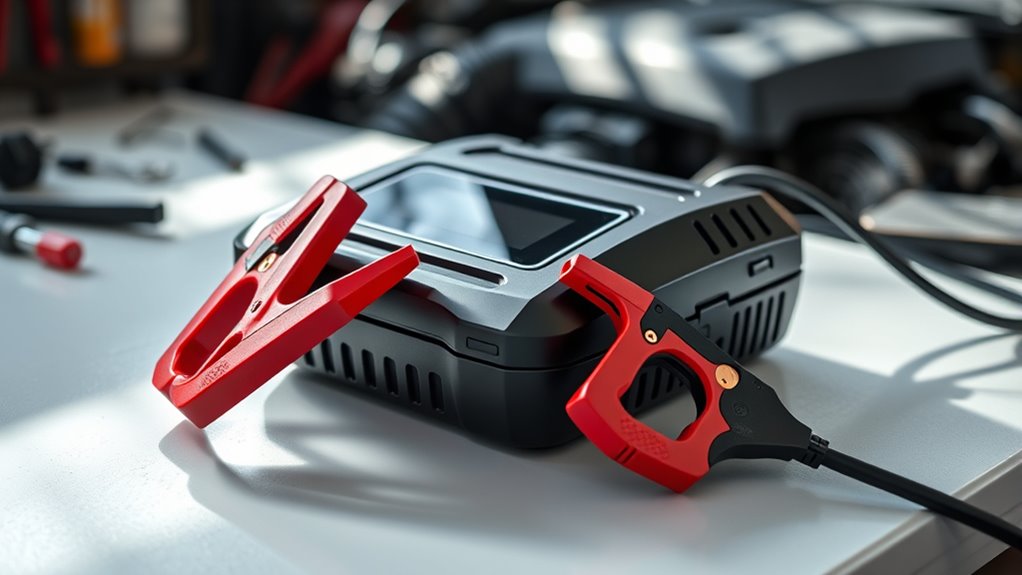
To use a DieHard battery charger, first gather safety gear like gloves and goggles. Inspect your battery for damage, then connect the charger’s red clamp to the positive terminal and the black clamp to the negative.
Choose the right mode based on your battery type; monitor the charging process closely. Once complete, unplug the charger, remove clamps in reverse order, and store it safely.
If you encounter issues, you’ll find helpful troubleshooting tips ahead.
Key Takeaways
Wear safety goggles and gloves, and work in a well-ventilated area to prevent hazards during charging.
Connect the red clamp to the positive terminal and the black clamp to the negative terminal securely.
Select the appropriate charging mode based on the battery type, referring to the user manual for guidance.
Monitor the charger’s indicator lights and check for unusual sounds or overheating while charging.
Safely disconnect the charger by unplugging it first, then removing the negative clamp followed by the positive clamp.
What You Need Before Using a DieHard Battery Charger

Before you plug in your DieHard battery charger, it’s important to gather a few items to guarantee a smooth charging process. First, make sure you have safety goggles and gloves to protect yourself while working. These simple battery maintenance tips can help prevent accidents.
Next, check the charger features—look for indicators that show the charging status and safety mechanisms like overcharge protection. You’ll also need a clean, well-lit workspace. This helps you keep track of all components and see any potential hazards clearly.
Make sure you have access to a power outlet that matches your charger’s requirements. Finally, it’s a good idea to have your vehicle’s manual handy, as it might offer specific guidance on battery care. Once you’ve gathered these essentials, you’ll be ready to start charging with confidence!
Choosing the Right DieHard Battery Charger for Your Needs
When choosing the right DieHard battery charger, it’s important to think about your specific needs and the type of battery you’re working with. Different batteries require different chargers, so knowing your options is key.
First, identify the battery type—whether it’s lead-acid, AGM, or lithium. This helps ensure you pick a charger compatible with your battery.
Identify your battery type—lead-acid, AGM, or lithium—to ensure compatibility with your charger.
Next, consider the features you want, like automatic shut-off, trickle charging, or multi-bank options. These can make charging safer and more convenient.
Also, look at the amp rating to match your battery’s size and capacity. A charger with the right power level will charge efficiently without risking damage.
Finally, think about portability. If you need a compact, easy-to-carry charger for on-the-go use, make sure to choose one that fits your lifestyle.
Safety First: Precautions to Take Before Charging
Guaranteeing safety is essential as you prepare to charge your DieHard battery. Start by wearing safety glasses and gloves to protect yourself from potential acid spills.
Make sure you’re in a well-ventilated area to avoid gas buildup, which can be hazardous. Disconnect any electronic devices and verify the charger is off before connecting the clamps to the battery terminals.
Check the battery for corrosion or damage. Clean the terminals if needed, using a mixture of baking soda and water. Always follow the recommended charging frequency, as overcharging can shorten your battery’s lifespan.
Be mindful of the charger’s settings and adjust them based on your battery type. Once everything’s set, you can proceed knowing you’ve taken the right precautions.
Prepare Your Vehicle for Charging
Before you start charging, make sure you have all the equipment you’ll need, like your DieHard charger and any safety gear. It’s always a good idea to double-check you’ve got everything to keep things safe and smooth.
Once you’ve got your gear ready, take a moment to review safety precautions to protect yourself and your vehicle. Then, locate the battery access point—this will help make the whole charging process easier and more efficient.
Gather Necessary Equipment
To effectively prepare your vehicle for charging, gather a few essential items. This will ensure you’re ready to handle different battery types and understand their charging times.
Here’s what you’ll need:
- DieHard Battery Charger – Make sure it’s compatible with your battery type.
- Safety Goggles – Protect your eyes from potential acid splashes.
- Gloves – Wear rubber gloves to shield your hands when handling cables and connectors.
- Extension Cord – If your power outlet isn’t close enough, an extension cord will give you the reach you need.
Having these items ready will make the charging process smoother and more efficient, helping you get your vehicle back on the road quickly.
Ensure Safety Precautions
After gathering the necessary equipment, it’s important to focus on safety precautions to prepare your vehicle for charging. First, park your vehicle in a well-ventilated area away from flammable materials.
Turn off the ignition and remove the keys to prevent any accidental starts. Make sure you’re wearing safety goggles and gloves to protect yourself from battery acid or sparks.
Check the battery for leaks or corrosion, and follow proper battery maintenance tips to keep it in good shape. Finally, know the recommended charging frequency for your battery type, as overcharging can cause damage.
Taking these steps will help ensure a safe and effective charging process.
Locate Battery Access Point
Locating the battery access point is key to charging your vehicle effectively. Since battery placement can vary, it’s important to identify the right access methods.
Start by consulting your owner’s manual for details on the battery’s location and how to access it. Then, open the hood carefully and make sure it stays securely open while you work.
Look for the battery—most are near the front of the vehicle, but some may be in the trunk or under a seat. Once you find it, identify the positive (+) and negative (-) terminals, which are usually marked with colors or symbols.
Once you’ve located the access point, you’re ready to proceed with charging.
Set Up Your DieHard Battery Charger
Before you get started, make sure you have everything you need—your DieHard charger and any safety gear. It’s also a good idea to pick a safe, well-ventilated spot for setting everything up. Doing this prep work will make the whole charging process go much more smoothly.
Gather Necessary Equipment
To set up your DieHard battery charger effectively, you’ll want a few essential items nearby. Having the right gear makes charging more efficient and helps you follow battery maintenance tips easily.
- DieHard Battery Charger – This is your main tool for charging.
- Safety Goggles – Protect your eyes from any sparks or debris.
- Gloves – Keep your hands safe while handling batteries.
- Owner’s Manual – A helpful guide for troubleshooting and tips.
Collecting these items beforehand will make the setup smoother and improve your experience. Always put safety first and know your charger’s specifications to get the best results and extend your batteries’ lifespan.
Choose Safe Location
Choosing a safe location for your DieHard battery charger is important to make sure you’re safe and that the charger works properly. Find a dry, well-ventilated spot away from anything flammable. This helps the battery charge efficiently and keeps risks low.
Here are some tips for picking a safe place:
| What to Avoid | Ideal Conditions | Safety Tips |
|---|---|---|
| Damp areas | Dry, open spaces | Keep away from kids |
| Heat sources | Cool, shaded spots | Don’t cover the charger |
| Cluttered areas | Organized workspace | Use surge protectors |
Connect the Charger to Your Battery
Connecting the charger to your battery is simple and can be done in just a few steps. Before starting, double-check that your charger is compatible with your battery.
First, find the positive (+) and negative (–) terminals on your battery. Then, attach the red clamp to the positive terminal, making sure it’s secure.
Locate the positive (+) and negative (–) terminals on your battery, then securely attach the red clamp to the positive terminal.
Next, connect the black clamp to the negative terminal, ensuring it’s tightly attached. Double-check that both clamps are properly connected and free from corrosion or debris.
Once everything looks good, you’re ready to begin charging. Proper connections are key for safety and getting the best charging results.
Pick the Right Charging Mode for Your Battery
After confirming your charger is properly connected to the battery, the next step is choosing the right charging mode for your specific battery type. DieHard chargers usually have different modes designed for various batteries like lead-acid, AGM, or gel.
First, identify your battery type and check the user manual for guidance. If you’re charging a standard lead-acid battery, go with the standard charging mode. For AGM batteries, select the specialized mode to ensure top performance.
Using the wrong mode can cause overcharging or undercharging, which might damage your battery. Once you’ve picked the correct mode, the charger will adjust the voltage and current accordingly. This helps ensure efficient charging and extends your battery’s lifespan.
Take a moment to double-check the mode before you start charging. Your battery will thank you!
Monitor Your DieHard Battery Charger During Charging
Monitoring your DieHard battery charger during the charging process is really important for getting the best results. Keeping an eye on it helps ensure maximum efficiency and can even help your battery last longer. Here’s what you should look out for:
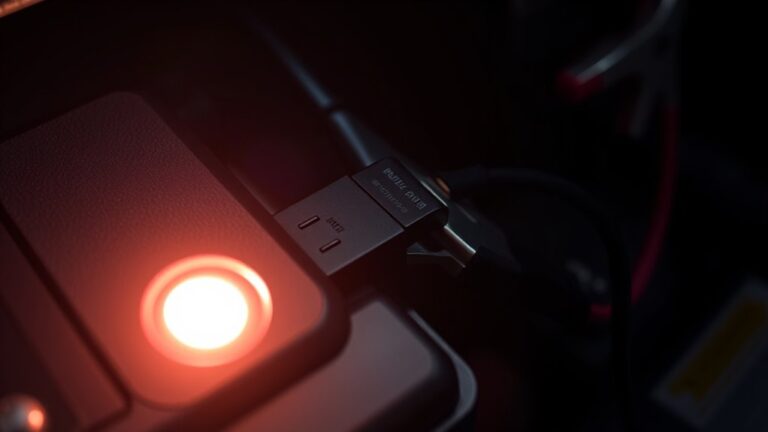
- Indicator Lights: Check the status lights to see how the charging is going. Usually, a solid light means it’s actively charging.
- Temperature: Feel the charger; it should be warm but not hot. If it’s too hot, it could shorten your battery’s lifespan.
- Charging Time: Keep track of how long it’s been charging. Overcharging can harm the battery’s health.
- Connections: Make sure all cables are secure. Loose connections can mess with the charging process.
Safely Disconnect the Charger
Once you’ve monitored the charging process and confirmed everything is working properly, it’s time to safely disconnect the charger. Use proper techniques to avoid any accidents.
Start by unplugging the charger from the wall socket. Then, remove the clamps from the battery, beginning with the negative terminal first. This helps reduce the risk of sparks.
Here’s a quick reference table to help you remember the steps:
| Step | Action |
|---|---|
| 1. Unplug the Charger | Disconnect from the wall outlet |
| 2. Remove Negative Clamp | Always remove first |
| 3. Remove Positive Clamp | Last to remove |
| 4. Check for Damage | Inspect clamps and cables |
| 5. Store Charger Properly | Make sure it’s clean and dry |
Regular maintenance helps keep your charger working well and lasting longer. By following these steps, you’ll ensure your battery charger stays in top shape and ready for next time.
How to Troubleshoot Common Issues When Charging Your Battery?
Having trouble charging your battery? No worries—start by giving the connections and cables a quick once-over to make sure everything’s plugged in nice and tight. Sometimes, a loose connection is all it takes to stop the charging process.
While you’re at it, keep an eye on the charging indicators on your DieHard charger. They can give you clues if something’s not quite right. If you notice any warning lights or unusual signals, it’s worth checking further.
Check Connections and Cables
Checking connections and cables is key when troubleshooting your DieHard battery charger. Good connections can really improve how well your charger works and how long it lasts.
First, inspect the cables for any frays or cuts that might disrupt power flow. Next, make sure the terminal connections are tight and free from corrosion.
Check the charger’s plug for damage or bent prongs that could cause poor contact. Finally, look for loose outlets and try plugging into a different socket to rule out outlet issues.
Monitor Charging Indicators
While monitoring charging indicators might seem simple, it’s really important for troubleshooting issues with your DieHard battery charger.
Start by watching the indicator lights—they show how the charging is going and whether everything’s working properly. If the lights flash or turn red, it could signal a problem.
Make sure the connections are tight and you’re using the right settings. If the battery isn’t charging, check for any damage to the cables or the charger itself.
Sometimes, a quick reset can fix minor problems. By paying attention to these indicators, you can quickly spot and fix issues, ensuring your battery charges efficiently and safely.
Frequently Asked Questions
How Long Does It Take to Fully Charge a Battery?
Charging time depends on the battery capacity and the charger’s output. For a regular car battery, it usually takes around 4 to 12 hours to fully charge.
If your battery has a bigger capacity, it might take a bit longer. Always check the manufacturer’s specs for your specific battery and charger.
This helps you get a more accurate estimate and makes sure you’re not overcharging, which could damage the battery.
Can I Charge Multiple Batteries at Once?
Yes, you can charge multiple batteries at once, but it depends on the charger’s capabilities and battery types. Make sure you’re using a charger designed for simultaneous charging to stay safe.
Different batteries may need different charging methods, so always check if they’re compatible. Keep an eye on the process to avoid overheating or overcharging, which can damage the batteries.
Remember to follow the manufacturer’s guidelines for safe charging. This helps keep everything running smoothly and prevents potential issues.
What Should I Do if the Charger Is Not Working?
If the charger isn’t working, start with some troubleshooting tips. Check the power source to verify it’s plugged in and working properly. Sometimes, the issue is as simple as a loose connection or a socket that’s not providing power.
Next, inspect the charger for any visible damage or frayed cables. These are common problems that can prevent it from working correctly. Also, make sure the battery terminals are clean and properly connected.
If it still doesn’t work, try resetting the charger or refer to the manual for specific error codes. Don’t hesitate to reach out to customer support if you need more help.
Is It Safe to Leave the Charger Unattended?
Leaving the charger unattended is like leaving a flickering candle in a room—there’s potential risk. For battery maintenance, it’s best to stay nearby while charging.
Although modern chargers have safety features, they can still malfunction. Check connections and keep an eye on the charger’s indicators.
Prioritize charger safety; it’s worth the effort to guarantee everything runs smoothly. Don’t take chances—your peace of mind is essential when dealing with batteries.
How Do I Know When the Battery Is Fully Charged?
You’ll know the battery’s fully charged when the charging indicators light up or change color, signaling that it’s done. Keep an eye on those lights as the charging progresses.
For the best performance, follow some simple charger maintenance tips. Keep the terminals clean and avoid overcharging your battery.
It’s also a good idea to check your user manual regularly. It will have specific indicators for your model, helping you stay informed about your battery’s status during charging.
Conclusion
Using a DieHard battery charger doesn’t have to be intimidating. With the right preparation and attention to safety, you can breathe new life into your battery like a phoenix rising from the ashes.
Remember to choose the appropriate charger, monitor the process, and disconnect safely. By following these steps, you’ll not only extend your battery’s lifespan but also ensure your vehicle is ready to hit the road when you are.
Happy charging with your DieHard battery charger!