10 Steps to Charge a Battery With a Charger
Charging a battery properly can feel tricky, especially with so many chargers and devices out there. Many people struggle with overcharging or damaging their batteries because they’re not sure of the best methods.
If you want to extend your battery’s life and keep your devices running smoothly, you’re not alone—this guide is here to help.
To charge a battery properly, start by identifying the right charger for your device. Check the charging port for dust and clean it gently.
Plug in the charger and monitor the battery status. Avoid overcharging by unplugging once it hits around 80%.
Maintain a cool, well-ventilated area while charging to prevent overheating. Regularly inspect your battery for signs of wear and consider replacement if needed.
There’s more to know about optimizing your battery life effectively.
Key Takeaways
- Identify the correct charger type compatible with your device to avoid damage and ensure efficient charging.
- Inspect the charging port for dust and debris before inserting the charger to keep the connection reliable.
- Gently insert the charger into the device without forcing it, then check the device indicator to confirm it’s charging.
- Keep an eye on the charging process for signs of overheating or overcharging, and unplug if needed.
- Aim for the best charging conditions by keeping your device in a cool, dry, and well-ventilated area while charging.
How to Connect Your Charger Properly
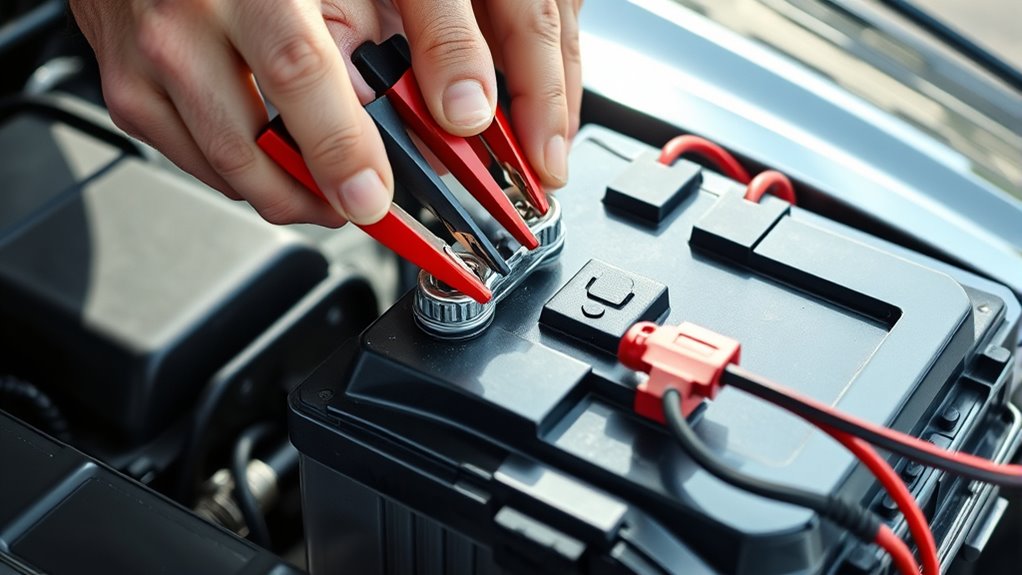
Connecting your charger properly is important for efficient battery charging. First, identify the charger type that matches your device. Different devices need specific chargers, like USB-C, Lightning, or micro-USB. Make sure you’re using the right cable to avoid damage.
Next, check the connection safety. Look at the charging port on your device and the charger for dust or debris. A clean connection helps prevent issues and makes charging more efficient. When everything looks good, gently insert the charger into the port, ensuring it fits snugly.
Don’t force it. If it doesn’t go in easily, check the alignment. After plugging in, look at your device’s charging indicator to confirm it’s getting power. Following these steps helps protect your device and ensures you get the best battery performance.
How to Select the Right Charger for Your Device
How can you guarantee you’re using the right charger for your device? Start by checking if the charger is compatible with your device’s specifications. Look for the correct voltage and amperage because using the wrong ones can damage your battery.
Think about the charging speed you need. Some chargers offer fast charging, while others take longer. Make sure to pick one that fits your preferences.
Next, ensure the charger has safety features like over-current protection to keep your device safe. Review your device’s power requirements to avoid under or overcharging.
Don’t forget to check brand recommendations and read user reviews. They can give you helpful insights into reliability and performance. Finally, look at the warranty information to protect your investment.
Choosing the right charger isn’t just about convenience; it’s key to your device’s longevity and efficiency.
Check Your Charging Cables and Ports
Before you start charging your battery, take a moment to inspect your cables and ports. First, make sure your charger matches your device’s requirements; using the wrong cable can cause problems or even damage.
Next, look closely at your charging ports. Dust and debris can build up and block the connection. Gently clean the ports with a soft brush or compressed air to keep things working smoothly.
Inspect your charging ports for dust and debris, and clean them gently to ensure a reliable connection.
This step helps ensure efficient charging and can extend the life of your cables and device. Once everything looks good, you’re ready to plug in and power up.
Monitor Your Battery Charging Progress
Keeping an eye on your battery charging progress is pretty important if you want it to work smoothly. Just check the indicators, like the lights or notifications on your device, to see how it’s doing.
That way, you can avoid overcharging and help your battery last longer. It’s a simple step that can really make a difference in the long run.
Importance Of Monitoring Progress
As you charge your battery, keeping an eye on its progress can save you time and prevent potential issues. Monitoring helps ensure charging is efficient and allows for quick battery diagnostics. By tracking the charging status, you can avoid overcharging, which could damage your battery.
Here’s a quick look at what to keep an eye on:
| Monitoring Aspect | Importance | Recommended Action |
|---|---|---|
| Voltage Levels | Ensures safety | Disconnect if too high |
| Temperature | Prevents overheating | Check regularly |
| Charge Time | Optimizes efficiency | Set a timer |
| Current Flow | Identifies issues | Adjust settings if low |
| Battery Age | Assess performance | Replace when necessary |
Stay proactive and you’ll help extend your battery’s lifespan!
Indicators Of Charging Status
Understanding the indicators of charging status is key to managing your battery effectively. As you charge your device, look at the charging symbols on the screen. These indicators usually include lights that change color as the battery fills up.
Visual cues like a blinking light or a solid green can tell you whether the battery is still charging or already full. Don’t ignore notifications that pop up; they often give important updates about your battery.
If your device makes sounds when charging is complete, pay attention to those alerts. By keeping an eye on these signs, you can help keep your battery healthy and last longer.
Signs You’re Overcharging Your Battery
If you see your battery getting really hot or the case beginning to puff up, that’s a pretty clear sign you might be overcharging it. It’s one of those warning signals you don’t want to ignore because it can mess with your battery’s health.
Over time, overcharging can shorten the lifespan of your battery, and that means you might face more issues later on. So, it’s a good idea to pay attention to these signs and take action before things get worse.
Excessive Heat Generation
When your battery gets excessively hot during charging, it’s a clear sign you might be overcharging it. This heat can mean the battery isn’t effectively dissipating heat or lacks proper thermal management.
Overcharging can reduce your battery’s lifespan and even cause dangerous issues like leaks or failures. If your charger or battery isn’t designed to handle the power, the excess energy turns into heat instead of charging.
To stay safe, keep an eye on the temperature while charging and make sure you’re using compatible chargers. If it feels too hot to touch, unplug it immediately and let it cool down before trying again.
Swelling Battery Casing
One of the most alarming signs of overcharging your battery is a swelling casing. If you notice your battery bulging, it’s important to act quickly.
Swelling often happens because of excessive heat, chemical reactions, or overcharging, which can make the battery unsafe. This deformation means internal pressure is building up, and it could lead to leaks or even ruptures.
Ignoring this issue can damage your device and pose safety risks. Always keep an eye on your battery while charging and unplug it if you see any swelling.
Regularly check for signs of wear and make sure you’re using the right charger. Prioritizing battery safety helps your devices work well and keeps you safe from hazards caused by faulty batteries.
Decreased Battery Lifespan
Overcharging your battery can significantly shorten its lifespan and cause frustrating performance issues. If your device gets unusually hot while charging, that’s a clear sign you’re overcharging.
You might also notice your battery drains faster than before or won’t hold a charge at all. These signs point to poor battery care and can happen if you don’t follow good charging habits.
To keep your battery healthy, unplug your device once it’s fully charged. Setting a regular charging schedule can help prevent overcharging and make your battery last longer.
Best Times to Charge for Battery Longevity
Charging your battery at the right times can really help extend its lifespan. Focusing on ideal charging times not only cares for your battery but also keeps your device running smoothly. Here are some tips to keep in mind:
- Charge during off-peak hours. This helps prevent overheating and keeps your battery healthy.
- Avoid deep discharges. Try to recharge when your battery hits around 20-30% instead of letting it drain completely.
- Use slow chargers. They’re gentler on your battery and can help it last longer.
- Charge regularly. Frequent, partial charges are better than letting it drop too low.
- Monitor temperature. Charge your battery when it’s at a moderate temperature for the best performance.
Maintain a Cool Environment While Charging
When you’re charging your battery, it’s really important to keep it cool. If it gets too hot, it can hurt its performance and even shorten its lifespan. So, try to aim for a nice, moderate temperature—usually around room temperature is ideal.
Also, make sure there’s good ventilation around your device. Good airflow helps dissipate heat and keeps everything running smoothly. And, of course, try to keep it out of direct sunlight while charging, because sunlight can warm things up more than you want.
Ideal Temperature Range
Maintaining a cool environment while charging your battery is key to keeping it healthy and efficient. The best temperature range for charging is usually between 20°C to 25°C (68°F to 77°F). Extreme temperatures can harm your battery’s performance and lifespan, so keep these effects in mind.
Try to avoid charging in direct sunlight or on heat-producing appliances. Using a fan or air conditioning can help keep things cool if needed. Also, make sure the charging area stays dry and well-insulated.
It’s a good idea to regularly check the battery’s temperature during charging to prevent overheating. Keeping these simple tips in mind will help prolong your battery’s life and ensure safe charging.
Ventilation Importance
To keep your battery running efficiently, proper ventilation during charging is really important. When you charge your battery, it heats up, and without enough airflow, that heat can build up and cause damage.
That’s where good ventilation helps. A well-ventilated space lets the heat escape, keeping things cooler and safer. Overheating can not only reduce performance but also create safety risks.
Avoid Direct Sunlight
Avoiding direct sunlight while charging your battery is essential because excessive heat can reduce performance and cause damage. Keep your charging environment cool and shaded to ensure safety.
Here are some tips to help you charge properly:
Charge in a well-ventilated area.
Use a dedicated charging station away from heat sources.
Avoid charging on surfaces that retain heat, like carpets.
Store your charger in a cool place when not in use.
Keep an eye on the battery’s temperature during charging.
Regularly Inspect Your Battery for Damage
Regular inspections of your battery for damage are essential to confirm its longevity and performance. Start with a visual check for any physical damage or unusual wear on the casing.
Look closely at the terminals; make sure they’re clean and free from corrosion. Corrosion can hinder connection integrity and affect battery safety.
Don’t forget to check the electrolyte levels, especially in maintenance-required batteries. If levels are low, it’s a sign you need to top them off.
Regular battery maintenance also includes making sure the terminals are tight and secure. If you see any corrosion or deterioration, clean them immediately to prevent further issues.
When to Replace Your Battery
Even with regular inspections, there comes a time when you need to think about replacing your battery. Knowing the key signs can help you avoid unexpected problems.
Usually, a battery lasts between three to five years. But if you notice any of these signs, it’s a good idea to replace it soon:
- You need to jump-start your car more often.
- Headlights look dim, or you experience electrical issues when starting.
- There’s corrosion on the battery terminals or cables.
- The battery casing appears swollen or bloated.
- The battery is getting old, typically over three to five years.
Spotting these signs early can help you prevent bigger issues down the road. Don’t wait for the battery to completely die. Replacing it proactively can save you time and hassle.
Keep an eye on your battery’s condition so you stay ahead of potential problems!
Tips for Extending Your Battery Life
To guarantee your battery lasts as long as possible, it’s essential to adopt smart habits and maintenance practices. Start by using effective charging techniques; avoid letting your battery drain completely before recharging. Aim to keep it between 20% and 80% charged for ideal longevity.
To maximize battery life, charge between 20% and 80%, and avoid complete drains for optimal longevity.
Regularly check for software updates, as they often include battery optimization features. Also, avoid exposing your device to extreme temperatures, which can harm the battery’s capacity.
If you’re not using your device for a while, store it with a partial charge—about 50% is ideal.
Finally, practice good battery maintenance by cleaning the contacts and using the right charger. By following these tips, you’ll extend your battery life and ensure your devices perform at their best. Remember, taking a few extra steps now can save you time and money in the long run.
Frequently Asked Questions
Can I Charge My Battery Overnight Safely?
Yes, you can charge your battery overnight safely, but it depends on a few factors. Make sure you’re using a charger that’s compatible with your battery type.
Modern chargers usually have features that prevent overcharging, which helps keep your battery safe. Always check the manufacturer’s guidelines to be sure.
Also, verify that your charger is in good condition. If you’re using an older charger, it’s best to keep an eye on the charging process to avoid any potential risks.
What Happens if I Use the Wrong Charger?
Using the wrong charger is like trying to fit a square peg in a round hole; it just doesn’t work. If your charger’s specifications don’t match your battery’s compatibility, you could end up overheating or damaging the battery.
You also risk causing a short circuit, which can be dangerous. Always double-check the voltage and amperage before plugging in.
Otherwise, you might end up with a battery that’s more trouble than it’s worth, leaving you stranded when you need power most.
How Long Should I Charge My Battery?
You should charge your battery until it reaches around 80-90% for ideal charging. This helps maintain its lifespan and prevents overcharging.
Generally, aim for a charging time of about 1-4 hours, depending on the battery type and its current level. Always check your device’s guidelines for specific recommendations.
Is It Okay to Charge a Warm Battery?
Charging a warm battery isn’t ideal. In fact, studies show that charging efficiency drops by about 20% when the temperature exceeds 104°F (40°C).
For battery safety, it’s best to let the battery cool down before you charge it. Heat can cause faster wear or even damage.
If your battery feels warm, take a break and let it cool to a safer temperature for the best charging results.
Can I Use My Device While Charging?
Yes, you can use your device while it’s charging, but it might slow down the charging process. If you’re running demanding apps or features, the battery may charge more slowly.
Make sure your device’s compatibility allows for this, since some models handle usage better than others. To get the best charging speed, try closing unnecessary apps.
If you’re gaming or streaming, keep in mind it can generate heat, which might affect your battery health over time.
Conclusion
You’ve gone through the key steps to charge your battery like a pro. Connecting your charger carefully and picking the right one puts you ahead of the game.
Keep an eye on your cables and watch your battery’s signals. Giving it a break now and then helps prevent overcharging and keeps it healthy.
With a little TLC and regular checks, your battery can stay strong and reliable. So, take good care of it, and your device will reward you with lasting power.