How to Tell If Your Battery Charger Is Working
Are you tired of dealing with a dead battery when you need your device most? Many people struggle with knowing if their battery charger is working properly, and it can be frustrating. Don’t worry—you’re not alone.
Checking your charger’s functionality is easier than you think.
To check if your battery charger is working, start with a visual inspection for frayed wires or cracks. Plug it into a compatible device and look for charging indicators or lights.
If it’s unusually hot or shows signs of slow charging, it might be failing. Make sure you’re using the original charger for peak performance.
If you don’t have the original, there are universal options to evaluate. Stay tuned for more tips on maintaining a healthy charger.
Key Takeaways
- Inspect the charger for any visible damage like frayed wires or burn marks before testing if it works.
- Plug the charger into a device and look for charging indicators or lights to see if it’s functioning properly.
- Keep an eye out for unusual heat or slow charging, as these can be signs of a malfunctioning charger.
- Make sure to clean the charging port so it connects well and charges efficiently.
- Whenever possible, use the original chargers because they’re made for your device and are safer.
Inspect Your Charger for Visible Damage
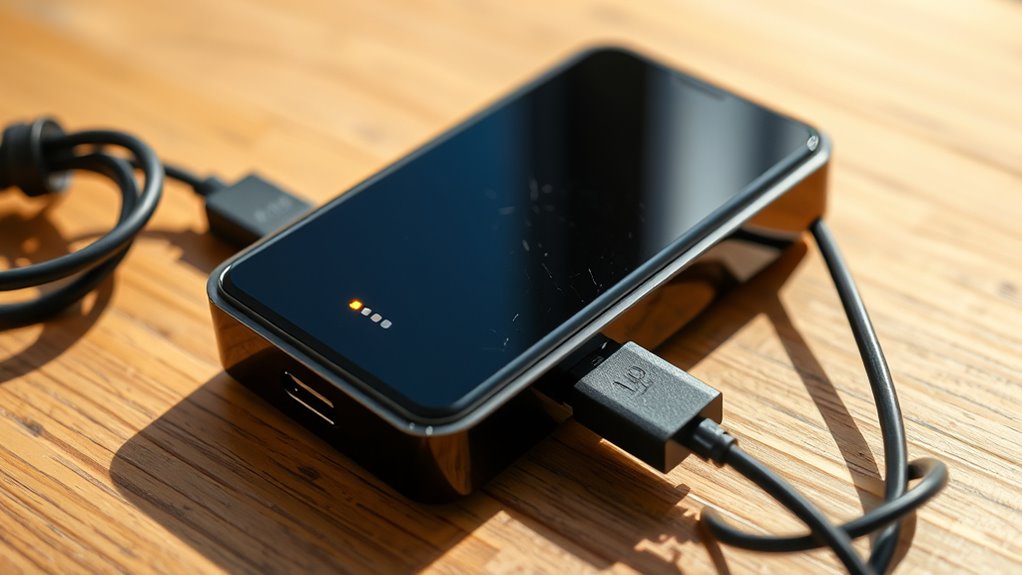
When troubleshooting your battery charger, the first step is to inspect it for visible damage. Start with a thorough visual check of the charger, cord, and plug. Look for any frayed wires, cracks, or burn marks, which clearly indicate damage.
If the plastic casing is broken, it could expose internal parts and pose a safety risk. Check the connection points for corrosion or dirt buildup, as these can affect performance. Don’t forget to examine the plug for bent prongs, which can stop proper electrical contact.
If you notice any issues, it’s best to stop using the charger right away. Continuing to use a damaged charger can prevent your device from charging and create safety hazards. These steps help ensure your charger is safe and reliable, so you can charge your devices without worry.
Test Your Battery Charger With a Different Device
Want to check if your battery charger is working? Just try plugging it into a different device that uses the same kind of charger. Keep an eye out for any charging lights or indicators—that’s your signal that it’s doing its job.
This quick little test can really help you figure out if the problem is with the charger itself or maybe the original device you were using.
Choose A Compatible Device
Testing your battery charger with a different device can quickly show if it’s working properly. To do this effectively, pick a compatible device that matches your charger’s battery specs.
Check the voltage and amperage ratings on both devices to make sure they match. Using a device with different specs might give you misleading results about your charger’s performance.
If your charger works with the new device, you can confidently say it’s fine. But if it doesn’t, there could be an issue with the charger. Remember, compatibility is key—always check the manufacturer’s guidelines for both the charger and the device to avoid problems.
Observe Charging Indicators
How can you tell if your battery charger is working properly? A simple way is to test it with a different device.
Plug your charger into a device you know works and watch the charging lights. If the lights show that charging is happening, your charger is probably fine.
But if the lights don’t turn on or they flash strangely, there might be an issue. Also, pay attention to how the device’s battery behaves during the test.
If it doesn’t charge or charges very slowly, the problem could be with the charger. This quick test can help you decide if you need a new charger or if something else is wrong.
Why You Should Stick to the Original Charger
While it might be tempting to use a third-party charger, sticking to the original one is essential for your device’s health. Using the original charger guarantees compatibility and helps your charger last longer. Here are three main reasons to stay with the original:
- Optimal Charging Speed: The original charger is designed to deliver the right power output, charging your device efficiently without risking damage.
- Safety Assurance: Original chargers undergo rigorous testing, which reduces the risk of overheating or short-circuiting that could harm your device.
- Preserved Warranty: Using a non-original charger can void your warranty. Sticking with the original helps protect your investment.
Clean Your Charging Ports for Better Connections
Using the original charger is just one step in making sure your device charges properly. Regular cleaning of your charging port is key to keeping things working smoothly. Dust and lint can build up and cause poor connections.
Here are some easy ways to keep your ports in top shape:
| Cleaning Technique | Description |
|---|---|
| Compressed Air | Gently blow out any debris from the port. |
| Toothpick | Carefully pick out stubborn particles. |
| Isopropyl Alcohol | Dampen a cotton swab and clean inside the port. |
| Soft Brush | Use a tiny brush to dislodge dirt. |
| Microfiber Cloth | Wipe the area for a final polish. |
Check If Your Power Source Is Working?
Is your device still refusing to charge? Before blaming the charger, check your power source. Here’s how to make sure everything’s working properly:
- Test the Power Outlet: Plug another device into the same outlet. If it works, your outlet’s fine. If not, you might have electrical issues or a tripped circuit breaker.
- Inspect Extension Cords and Surge Protectors: Sometimes, these can cause voltage problems. Bypass them and connect your charger directly to the wall outlet.
- Verify Device Compatibility: Make sure your charger matches your device’s specifications. Using an incompatible charger can cause slow charging or no charge at all.
Test Charger Voltage With a Multimeter
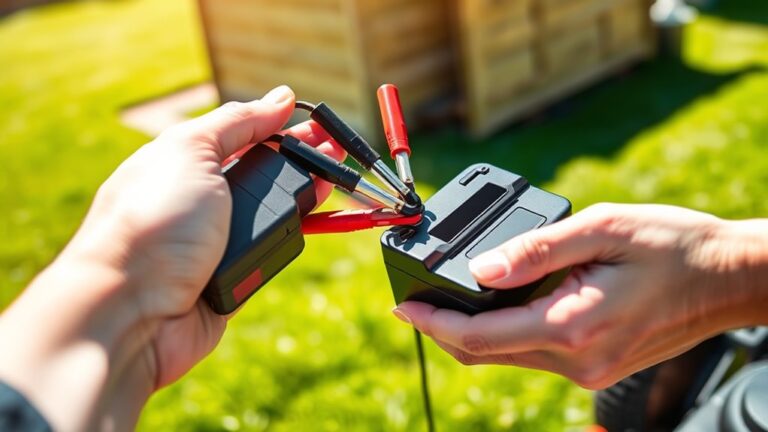
To check if your charger is working properly, testing its voltage with a multimeter is a quick and easy way. First, set your multimeter to measure DC voltage.
Plug the black probe into the COM port and the red probe into the VΩmA port. Then, connect the probes to the charger’s output—black to the negative terminal and red to the positive terminal.
Be careful not to touch the probes together while doing this. Once connected, look at the display on your multimeter.
The reading should match the voltage listed on your charger. If it’s much lower or reads no voltage at all, your charger might be faulty.
This simple test can save you time and help you figure out if your charger needs replacing or if the problem is somewhere else.
Key Indicators Your Charger Is Failing
Have you ever noticed your device charging slower than usual? This can be a sign that your charger is failing. Knowing the key indicators can help you troubleshoot and extend its lifespan.
Here are three signs your charger might need attention:
- Unusual Heat: If your charger feels really hot, it could be struggling to deliver power properly.
- Frequent Disconnection: If the charging cable keeps disconnecting or feels loose, it might be worn out.
- No Indicator Light: A charger that doesn’t show any light when plugged in often isn’t working anymore.
When to Replace Your Charger Instead of Repairing
While it’s tempting to try and repair a charger that shows signs of wear, sometimes replacing it makes more sense. If your charger is getting old and repair costs are high, investing in a new one is often the smarter choice.
Before deciding, consider a few factors. First, how old is your charger? Older chargers may be nearing the end of their lifespan.
Next, think about repair costs. Are repairs more than half the price of a new charger? If so, it might be better to buy a new one.
Finally, pay attention to performance issues. Is your charger consistently failing to charge your device? If yes, replacing it can save you time and frustration.
If your charger keeps failing or repairs are costly, replacing it will likely be more economical. A reliable charger is key to keeping your devices powered without hassle.
Common Myths About Battery Chargers Debunked
Many people think using a charger made for one device on another will damage both, but that’s not always true. Most modern chargers are designed to be compatible with different devices.
Using a charger meant for one device on another typically won’t cause damage; modern chargers are often compatible across devices.
Here are some common charging myths you should debunk:
- All chargers are the same: Different chargers give varying power outputs, which can affect your device’s lifespan and performance.
- Fast charging damages batteries: While fast charging can produce heat, high-quality chargers control this well, helping to keep your battery healthy.
- Leaving a charger plugged in wastes a lot of energy: Most chargers only use power when a device is connected, so it’s not as wasteful as you might think.
Understanding these myths helps you make smarter choices about your chargers and keeps your devices in good shape!
What to Do If You Don’t Have the Original Charger
No worries if you’ve misplaced the original charger! First things first, take a look at the voltage and amperage requirements of your device and compare them with any alternative chargers you might have. It’s important to make sure they match up to avoid any damage.
You might also want to check out universal chargers — they’re designed to work with a variety of devices. And if you have other chargers around, go ahead and test them out to see which one actually powers up your device safely and effectively.
Check Voltage Compatibility
To make sure your battery charger is compatible, start by checking the voltage requirements of your device. Different battery types need specific voltages to work properly. Using the wrong voltage can slow down charging or even damage your device.
Here are three simple steps to find a suitable charger:
- Check Device Specifications: Look for the voltage rating on your device’s label or in the manual.
- Compare Charger Outputs: Make sure the charger’s output voltage matches what your device needs.
- Test with Caution: If you have a charger with a similar voltage, try it briefly to see if it charges well without overheating.
Use Universal Charger Options
When you don’t have the original charger handy, universal charger options can save the day. These chargers are designed with universal compatibility, making them versatile for various devices.
Before using one, check the voltage and amperage ratings to make sure they match your device’s requirements. This helps keep charging efficient and prevents potential damage.
Look for a universal charger that includes multiple tips or adapters, as these can work with a range of devices. Also, consider chargers with smart technology to optimize charging speed and safety.
Test With Other Devices
Wondering how to troubleshoot your battery charger without the original? You can test it with other devices to see how well it charges and if it’s compatible. Here’s how:
- Try a Similar Device: Use a device that needs the same voltage and amperage. It’s a good way to check if the charger works with similar gadgets.
- Check Different Cables: Sometimes the problem is just the cable. Swap it out and see if the charging gets faster.
- Test Multiple Chargers: If you have other chargers, try charging the same device with them. It helps you figure out if your charger isn’t performing well.
Frequently Asked Questions
Can Using a Third-Party Charger Damage My Device?
Using a third-party charger can potentially damage your device if it doesn’t match the right compatibility or has the wrong power output.
If the charger provides too much power, it might cause your device to overheat or harm the battery. On the other hand, a charger with too low power can make charging slow or not enough for your device’s needs.
Always go for reputable brands and double-check compatibility to keep your device safe and working smoothly.
How Long Should a Battery Charger Typically Last?
Think of your battery charger as a faithful companion on your tech journey.
Typically, a battery charger lasts between 2 to 5 years, depending on usage and maintenance.
Just like any relationship, neglect can shorten its lifespan. To extend its life, avoid overcharging and keep it clean.
What Are the Signs of a Faulty Battery?
If your battery’s losing its charge quickly, that’s a sign it might be faulty. You’ll notice a reduced battery lifespan, especially if it struggles to hold a charge after just a few charging cycles.
Furthermore, if your device shuts down unexpectedly or takes longer to charge, it’s time to think about a replacement. Keeping an eye on these symptoms can help you avoid further issues down the line.
Is It Safe to Leave My Charger Plugged in Overnight?
Leaving your charger plugged in overnight can be safe, but it really depends on your device and charger safety features. If your charger has built-in protection, it’ll stop charging when the battery’s full, which helps prevent overheating.
But if it doesn’t have these features, there could be risks like overheating or reducing your battery’s lifespan. Always check your device’s guidelines to be sure.
For added peace of mind, consider using smart chargers that automatically stop charging when the battery is full. That way, you can leave your device charging overnight without worry.
Can Temperature Affect My Charger’s Performance?
Yes, temperature can definitely affect your charger’s performance. When you expose your charger to extreme heat or cold, it can lead to reduced efficiency and even damage over time.
This exposure can shorten your charger’s lifespan, making it less effective at powering your devices. To keep it working well, try to store and use it in a temperature-controlled environment.
Your charger will thank you for it!
Conclusion
In the end, keeping your battery charger in top shape is like nurturing a plant—you’ve got to pay attention to its needs.
By inspecting for damage, testing with different devices, and ensuring clean connections, you can avoid the frustration of a dead battery.
If your charger shows signs of failure, don’t hesitate to replace it.
Remember, a reliable charger is your device’s best friend, so treat it well and it’ll keep your gadgets powered up!